Desk workers have long understood that sitting for hours tends to pull the body into compromised positions — shoulders rounding forward, chin drifting out, spine curving where it shouldn't. What's changed recently is that technology has begun offering a quiet, physical solution to a problem that willpower alone rarely solves.
What Are Posture-Monitoring Wearables and How Do They Work?
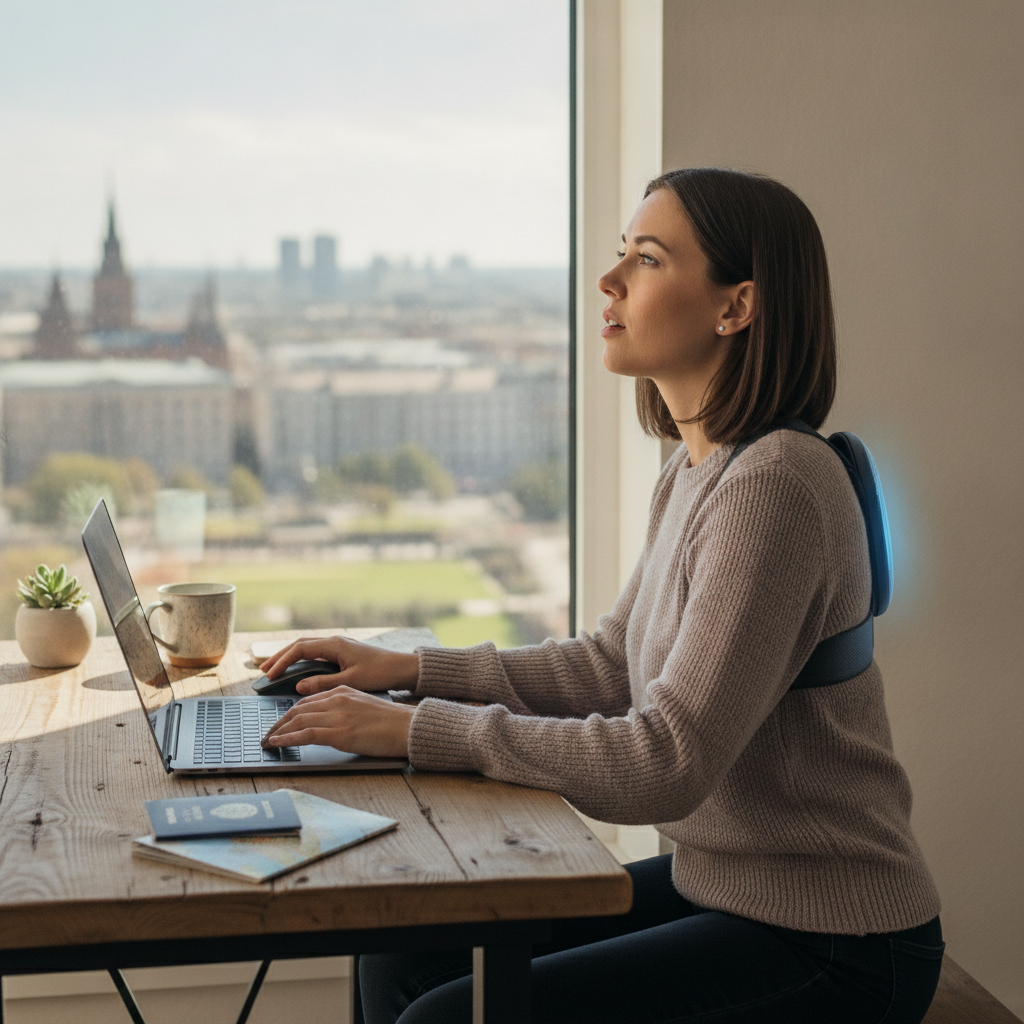
Posture-monitoring wearables are small sensor devices worn on the upper back, chest, or neck that track spinal alignment in real time using accelerometers and gyroscopes. When the device detects that the wearer has deviated from an upright position for longer than a preset threshold, it delivers a gentle vibration — not an alarm, not a sound, just a physical nudge. Products like Upright GO and Lumo Lift have built this concept into compact, discreet designs that clip to clothing or adhere to skin. The feedback is immediate and private, making it far less disruptive than a phone notification or desk reminder.
How Does Vibration Feedback Differ From Other Correction Methods?
Most posture correction tools rely on visual or audio cues — a banner on a screen, a calendar reminder, or even a colleague's observation. These methods require conscious attention to work, which means they're easily dismissed during focused work sessions. Vibration feedback operates differently because it bypasses the need for visual awareness entirely. The sensation interrupts the body rather than the mind, triggering an almost reflexive response to straighten up. Over time, repeated vibration cues delivered throughout a workday begin to condition a physical response that doesn't require active thought. This is where the concept of passive awareness enters the picture — correction starts to happen before the brain even registers the slouch.
What Is Passive Awareness and Why Does It Matter for Posture?
Passive awareness refers to behavioral change that occurs without deliberate, moment-to-moment attention from the person experiencing it. In the context of posture, it means the body gradually learns to hold itself differently not because the wearer is constantly thinking about alignment, but because repeated tactile feedback has trained an automatic response. Neuromuscular habituation works in a similar way — when a physical sensation is consistently paired with a corrective movement, the correction begins to occur with less and less conscious effort. Devices like the Upright GO 2 are specifically designed around this learning curve, offering guided training programs that start with shorter wear sessions and extend as the user's baseline posture improves.
How Are Desk Workers Actually Responding to These Devices?
Adoption among remote workers and office professionals has been steady, particularly as awareness of musculoskeletal strain has grown alongside the expansion of work-from-home setups. Many users report that the first few days of wearing a posture device feel disruptive — the vibrations arrive frequently, signaling just how often their posture drifts without them noticing. That initial surprise tends to be part of the value. As the body adjusts, the frequency of vibrations decreases naturally, offering users a tangible sign of progress. Companion apps, such as those paired with the Upright GO system, visualize this improvement over days and weeks, reinforcing motivation through data rather than guesswork.
What Role Do Companion Apps Play in Long-Term Posture Training?
The hardware itself handles real-time correction, but companion apps carry much of the responsibility for long-term behavior change. These apps log posture data across the day, identify peak slouch periods — often mid-afternoon during energy dips — and allow users to customize sensitivity thresholds and vibration intensity. Some platforms use progress tracking and streak-based milestones to encourage continued use, drawing on behavioral design principles similar to those used by fitness apps. The combination of a physical device and a data-rich app creates a feedback loop that keeps posture awareness present even when the wearable isn't actively vibrating, gently embedding the habit into the wearer's daily rhythm.
How Can You Integrate a Posture Wearable Into Your Workday Without It Feeling Like a Burden?
Starting gradually matters more than starting perfectly. Most posture wearable manufacturers recommend beginning with twenty to thirty minutes of active wear per session and building from there, rather than committing to full-day use from day one. Place the device on before your first focused work block of the morning, when your energy and attention are highest — this helps your body associate upright posture with productive states. If you use a standing desk, wear the device while seated and while standing to get a complete picture of how your alignment shifts across both positions. Pay attention to the timing patterns your app surfaces; if vibrations cluster consistently after lunch, that's useful information about when a short movement break would serve you best. Treating the wearable as a training tool rather than a correction device shifts the entire experience from frustrating to genuinely informative.
The posture wearable category is still evolving, with newer models incorporating AI-driven personalization that adapts vibration sensitivity based on individual alignment patterns rather than fixed defaults. As materials become lighter and battery life extends, the barrier to all-day wear continues to drop. What began as a niche wellness gadget is quietly becoming a practical layer of occupational health support — one that works not by demanding attention, but by building awareness through the body itself.