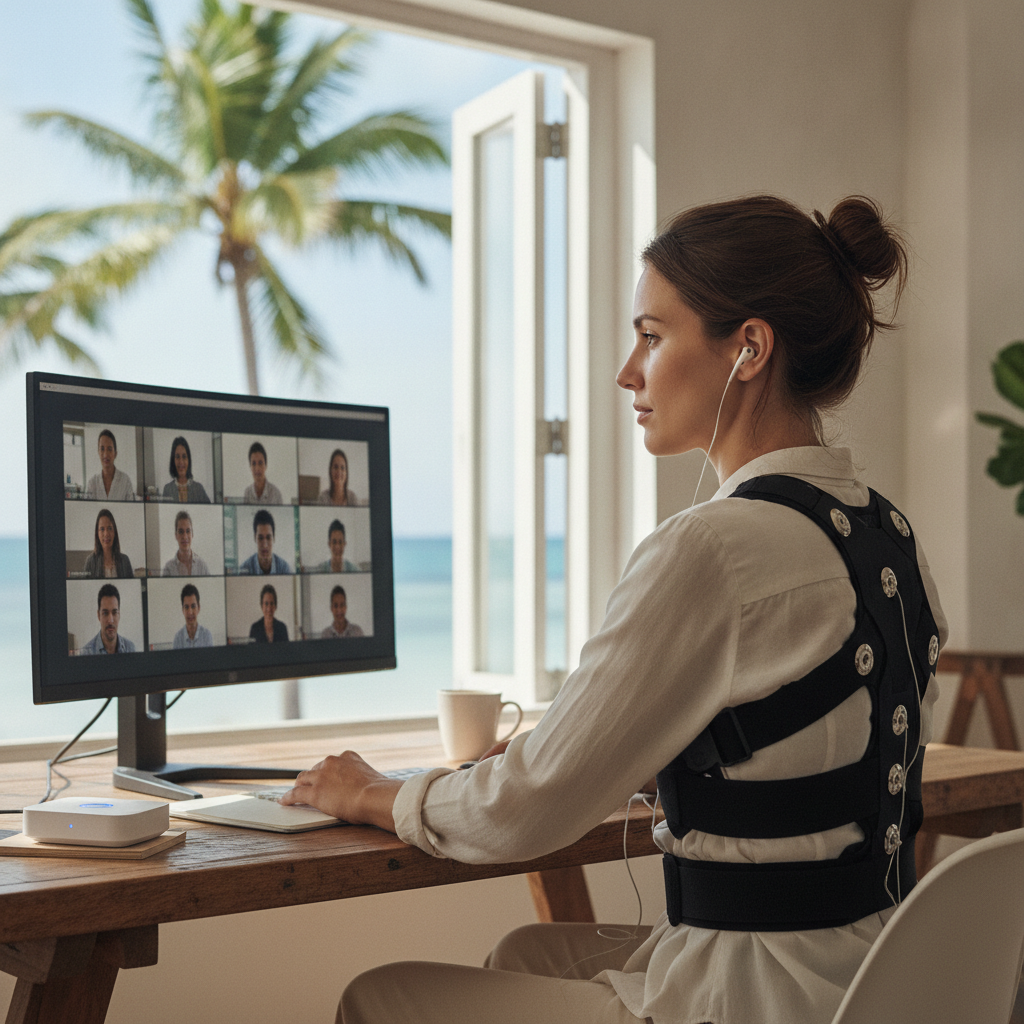
Remote work has quietly created one of the most overlooked physical health challenges of modern office life — the slow, cumulative collapse of spinal alignment across a day full of video calls. You start the morning sitting reasonably well, but by the third Zoom meeting, your shoulders are rounding forward, your chin is jutting toward the screen, and the tension creeping up your neck has become background noise you've learned to ignore. It's a gradual drift, and most people don't notice it until the headache sets in around 4 p.m.
The good news is that a new category of wearable technology is addressing this problem with surprising precision. Posture-correcting sensors — small, lightweight devices worn against the upper back or clipped to clothing — now use real-time audio feedback to interrupt that drift before it becomes a habit. Instead of waiting for pain to signal a problem, these tools catch the misalignment as it happens and prompt a correction. For remote workers logging six or more hours of video calls daily, that shift from reactive to proactive makes a meaningful difference.
Understand What These Devices Actually Measure
Most posture wearables use a combination of accelerometers and gyroscopes to track the angle and position of your spine relative to a calibrated baseline. Devices like the Upright GO 2 and Lumo Lift establish your ideal posture during a brief setup process, then monitor deviation from that position throughout the day. When your back rounds or your head tilts forward beyond a set threshold, the device responds — either with a gentle vibration or, increasingly, with a soft audio tone delivered through connected earbuds. The audio approach is particularly effective during video calls because it doesn't require you to glance at a screen or phone to receive the feedback.
Set Your Baseline Posture When You're Fresh
Calibrating your device at the start of the day, before fatigue sets in, gives the sensor an accurate reference point for what your best alignment actually feels like. Trying to calibrate after two hours of meetings often captures a compromised position and trains the device to accept a baseline that's already slightly collapsed. Take two minutes first thing in the morning — standing or sitting tall, shoulders relaxed and back, chin level — to lock in a posture that represents genuine alignment. Most apps, including those paired with the Upright GO 2, allow you to recalibrate easily, so there's no reason to skip this step on busy mornings.
Match Audio Sensitivity to Your Meeting Schedule
One of the most practical adjustments you can make is customizing the sensitivity level based on what your day looks like. On days with back-to-back calls, a lower sensitivity setting that tolerates minor shifts helps you avoid constant interruptions without losing the corrective benefit entirely. On lighter days with longer focused work blocks, higher sensitivity accelerates retraining more aggressively. Most companion apps offer tiered sensitivity profiles, and some — like those used with the newer Darma Pro cushion sensor — allow you to schedule sensitivity changes automatically based on time of day.
Use the Audio Cue as a Reset Trigger, Not Just a Warning
The real value of audio feedback isn't just in catching bad posture — it's in building a reflexive reset response over time. When the tone sounds, treat it as a full-body check-in rather than a simple back-straightening prompt. Roll your shoulders back and down, take one slow breath, and let your spine lengthen before returning to the conversation. That brief pause, repeated dozens of times across a workday, creates a conditioned response over weeks. Remote workers who pair the audio cue with a deliberate breathing reset tend to require fewer corrections as the weeks progress, which is the goal the technology is actually working toward.
Pair the Device With Intentional Camera Positioning
Camera height has a direct relationship to head and neck position during video calls, and even the best posture sensor can only do so much if your setup is working against you. A camera positioned below eye level pulls your chin down and rounds your upper back almost automatically. Raising your laptop on a stand — the Nexstand K2 is a reliable adjustable option — and pairing it with an external keyboard brings the screen to eye level and reduces the forward head position that triggers most audio alerts. Combining better ergonomics with sensor feedback creates a reinforcing loop that makes the technology significantly more effective.
Build Short Posture Breaks Between Calls
Scheduling even two minutes between consecutive video calls gives you space to respond to accumulated feedback without disrupting the meetings themselves. During that gap, stand up, perform a few shoulder rolls, and check in with how your back feels compared to the calibrated baseline the device is tracking. Many remote workers find that the audio cue frequency drops noticeably after these short movement breaks, which reflects genuine muscular reset rather than just a temporary positional fix. Apps like StretchMinder can be synced loosely with your calendar to nudge these breaks at transition points.
Track Weekly Patterns to Spot Your Drift Windows
Most posture wearable apps record correction frequency by time of day, which reveals patterns that are genuinely useful for restructuring your schedule. If the data consistently shows a spike in corrections between 2 p.m. and 4 p.m., that window likely represents your deepest fatigue and your greatest spinal drift. Knowing that, you can schedule lighter tasks or non-video meetings during those hours, or increase audio sensitivity specifically for that period. The tracking data transforms the device from a reactive alert system into a planning tool — which is a more sophisticated way to approach long-term postural retraining.
Give the Retraining Process Several Weeks to Work
Posture retraining through wearable feedback isn't a quick fix, and expecting dramatic results in a few days leads most people to abandon the device too soon. Spinal alignment habits develop over years of sitting patterns, and retraining them through audio cues typically takes four to eight weeks of consistent use before the corrected position starts to feel natural without prompting. The audio cue frequency gradually decreasing over that period is itself the sign of progress — the device is training your proprioceptive awareness to catch and correct drift before the sensor does. That internal recalibration is the outcome worth working toward.
Taking care of your body during long remote workdays doesn't require a complicated routine or expensive ergonomic overhaul. A small sensor, a pair of earbuds, and a few intentional adjustments to how you set up and move through your day can genuinely shift the pattern. Start with one device, spend a week learning your own drift windows, and let the technology do what it's designed to do — remind you, gently and consistently, to sit like you mean it.